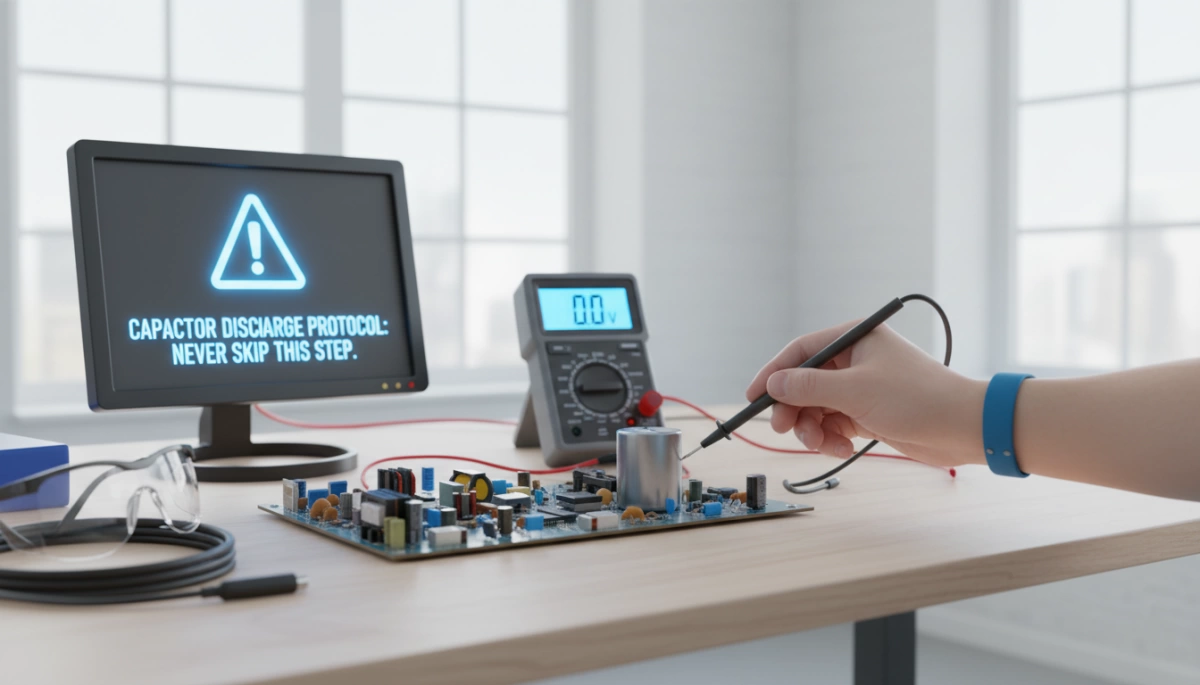
Why Capacitors Hold a Dangerous Charge
Ever wonder why capacitors can still deliver a shock even after a device is unplugged? Capacitors store energy in an electric field between their internal plates, acting like tiny batteries. This stored energy doesn’t just vanish when the power is turned off.
Capacitors can hold a residual charge due to phenomena like dielectric absorption—where the insulating material inside slowly releases stored energy back into the capacitor—and self-recharge, where the voltage can build up again over time. This means a capacitor that looks “dead” might still pack a punch.
This leftover charge poses real risks: unexpected electric shocks, painful burns, damage to sensitive components, and sometimes even fires. Devices with high-voltage capacitors—think microwaves, air conditioners, power supplies, camera flash units, and audio amplifiers—are especially risky.
Knowing why capacitors retain charge is the first crucial step toward staying safe and mastering the safe capacitor discharge process. Never underestimate that stored energy—it’s a hidden hazard waiting to catch you off guard.
Essential Safety Precautions Before Starting
Before you even think about discharging a capacitor, always unplug and isolate the device from its power source. This step is non-negotiable because residual charge can still cause a shock. Simply waiting after powering off isn’t enough; relying on wait time alone is risky due to dielectric absorption, where capacitors can self-recharge slowly.
Use proper personal protective equipment (PPE) like insulated gloves and safety glasses to reduce the risk of electric shock or injury. Before handling, always verify the capacitor voltage with a multimeter to confirm it’s safe to proceed.
It’s best to work in a well-lit, dry area to avoid accidents, and never work alone on high-voltage systems. These precautions help prevent serious injuries and ensure your capacitor discharge process is controlled and safe.
For more safety tips related to handling household electronics, check out the detailed guide on why your refrigerator door won’t close properly which also highlights the importance of appliance safety during repairs.
Tools Needed for Safe Capacitor Discharge
To safely discharge a capacitor, having the right tools is essential. Here’s what you’ll need:
- Multimeter: A must-have for measuring and verifying the capacitor’s voltage before and after discharge. This helps ensure no residual charge remains and prevents electric shock.
- Discharge Resistors: Preferably high-wattage resistors with appropriate resistance values (typically between 10kΩ and 100kΩ). They safely drain the charge over time without causing damage to the capacitor or yourself. Avoid directly shorting the terminals.
- Insulated Tools: Use insulated alligator clips, probes, or dedicated capacitor discharge pens to connect the resistor securely without risking electric shock.
- Optional Tools: For certain projects, a light bulb discharge tool or a commercial capacitor discharge device can provide a visual indication of discharge or offer a professional, safer method.
Having these tools on hand ensures a controlled and safe capacitor discharge process, reducing risks of burns, shocks, or component damage. For detailed safety measures on related appliance repair, you might also find guidelines on how to replace a faulty oven useful when dealing with appliance capacitors.
Step-by-Step Capacitor Discharge Methods
Discharging capacitors safely is critical to prevent electric shock, burns, or damage. Here are the main methods to discharge capacitors properly, starting with the safest.
Method 1: Resistor Discharge (Safest and Recommended)
Using a discharge resistor is the safest way to release stored energy without causing damage or sparks.
- Selecting the right resistor: Use a resistor typically between 10kΩ and 100kΩ with a wattage rating of at least 2 watts, depending on the capacitor voltage and capacity.
- Connecting across terminals: Attach the resistor securely across the capacitor terminals using insulated leads or alligator clips.
- Calculating discharge time: Use the RC time constant formula (τ = R × C) to estimate how long it takes to safely discharge. Generally, allow about 5 time constants for the voltage to drop to near zero.
- Waiting and verifying: After waiting, always check voltage with a multimeter to confirm the capacitor is fully discharged before handling.
Method 2: Light Bulb Discharge (Visual and Practical)
This method works well for medium-voltage capacitors where you want to see the discharge in action.
- Use a low-wattage incandescent bulb (e.g., 6V, 3W) connected across the capacitor terminals.
- The bulb acts as a load, safely bleeding the charge and visually showing energy release by glowing.
- This method reduces direct stress on the capacitor but requires care to avoid accidental short circuits.
- Always ensure you verify full discharge after the bulb dims out through a multimeter test.
Method 3: Insulated Screwdriver (Quick but Riskier – Use Only for Low-Voltage)
This is a common but risky shortcut.
- Only acceptable for low-voltage capacitors (below 50V).
- Briefly bridging the terminals with an insulated screwdriver discharges the capacitor instantly but can generate sparks and damage the capacitor or tool.
- Avoid this method for high-voltage capacitors (like microwave or HVAC units) due to the significant shock and fire risk.
- Protect yourself with PPE if you must use this method, and never skip verification.
Specialized Tools: Discharge Pens or Probes for Professionals
For those handling high-voltage or sensitive electronics regularly, professional capacitor discharge tools and probes offer quicker, safer, and more controlled discharging. These devices combine resistor-based discharge with built-in safeties, ideal for service technicians.
Using the correct discharge method and tools is crucial to ensure safety and protect your equipment every time you work with capacitors. For more appliance-specific safety tips, see the guidelines on safe microwave capacitor discharge and HVAC capacitor discharge precautions.
Verifying Complete Capacitor Discharge
Never assume a capacitor is fully discharged after one pass. Always measure the voltage across the terminals with a multimeter after discharging to confirm there’s no residual capacitor charge left. If any voltage remains, repeat the discharge process until the meter reads zero or close to it.
Keep in mind dielectric absorption, a phenomenon where a capacitor slowly regains some charge even after being discharged. To handle this, wait a few minutes and measure the voltage again—if it rises, discharge again. This step is crucial for safe capacitor discharge, especially with high-voltage or large electrolytic capacitors.
Taking these extra precautions prevents electric shock, equipment damage, or other hazards caused by unexpected residual energy. For device-specific safety tips and troubleshooting related to components like microwave capacitors, you can check out detailed repair guides such as this Microwave capacitor safety and replacement tutorial.
Device-Specific Capacitor Discharge Guidelines
Different devices have unique capacitor discharge needs. Knowing these specific steps helps you stay safe and protects your equipment.
Microwave Ovens:
Microwave capacitors store high voltage — often thousands of volts — and can hold a dangerous residual capacitor charge even after unplugging. Always use a proper discharge tool or resistor rated for high voltage. Never skip this step, as accidental shocks can be severe. For more on microwave safety, see our guide on oven not heating evenly.
HVAC and Air Conditioner Capacitors:
These typically have run and start capacitors, which both store charge but differ in size and voltage. Use a multimeter to check voltage first, then discharge with a bleeder resistor matching the capacitor’s rating. Make sure to confirm zero voltage before handling. For detailed repair tips, check advice on fixing ice maker issues, which covers similar electrical safety concerns.
Power Supplies and Audio Equipment:
Capacitors in power supplies and amplifiers can retain voltage long after unplugging. It’s crucial to apply a safe discharge method like resistor discharge to prevent damage or shock. Always verify discharge with a multimeter before proceeding.
Camera Flash Units and CRT Displays:
Flash units and CRT monitors/TVs contain capacitors designed for quick bursts of power—these hold charge dangerously well. Use specialized capacitor discharge tools, and avoid shortcut methods like direct shorting. Residuals from dielectric absorption can make rechecking a must.
Remember, handling any high-voltage capacitor without proper discharge is risky. Follow device-specific protocols carefully to ensure electric shock prevention and safe maintenance.
Common Mistakes and How to Avoid Them
When working with capacitors, many people make avoidable errors that put them at serious risk. Here’s what not to do and how to stay safe with safe capacitor discharge:
-
Assuming Bleeder Resistors Are Always Present or Reliable
Don’t trust that a bleeder resistor inside the device has fully discharged the capacitor. Some devices lack them, or the resistor might be faulty. Always verify voltage yourself.
-
Direct Shorting Without Resistance
Never short capacitor terminals directly with a screwdriver or wire. This can cause sparks, damage the capacitor, or create a fire risk. Always use a proper discharge resistor or a dedicated capacitor discharge tool.
-
Touching Terminals Directly
Avoid touching capacitor terminals with bare hands or metal tools. Even after power-off, residual capacitor charge or dielectric absorption can deliver a serious electric shock.
-
Skipping Voltage Verification
Don’t skip checking voltage after discharge. Use a multimeter to confirm the capacitor is safely discharged. Sometimes voltage can bounce back due to dielectric absorption, so test a few times over several minutes.
By avoiding these common mistakes and following safe discharge protocols, you protect yourself and your equipment from shocks, burns, and costly damage.
Frequently Asked Questions About Capacitor Discharge
How long do capacitors hold charge?
Capacitors can retain a dangerous residual charge for hours, days, or even weeks after power-off due to dielectric absorption. Even if a device has been unplugged for a long time, the capacitor might still hold enough voltage to cause shock or damage. That’s why waiting without actively discharging is unreliable and unsafe.
Can I discharge a capacitor with a multimeter alone?
No, a multimeter is designed only to measure voltage, not discharge capacitors safely. Using it alone won’t remove the residual charge and could damage the meter or put you at risk. Always use a proper capacitor discharge tool or a discharge resistor to safely bleed the charge before testing with a multimeter.
What if the capacitor is damaged?
A damaged capacitor can be unpredictable—it might leak, swell, or fail to hold a charge properly, increasing the risk of short circuits or explosions during discharge. If you suspect damage, handle it with extra caution, use insulated discharge tools, and consider professional assistance to avoid injury or further device damage.
When should I call a professional instead of DIY?
If you’re dealing with high-voltage capacitors—like those in microwave ovens, HVAC systems, or power supplies—or if you lack the right tools or experience, it’s safer to get help from a trained technician. Capacitor discharge protocols demand precision and care; skipping steps or using improper methods can cause electric shock, burns, or worse. For detailed device-specific safety advice, resources like the Samsung appliance repair guide can provide helpful insights.
Following proper safe capacitor discharge methods protects you from electric shock and damage. Never skip this critical step!



Leave a Reply