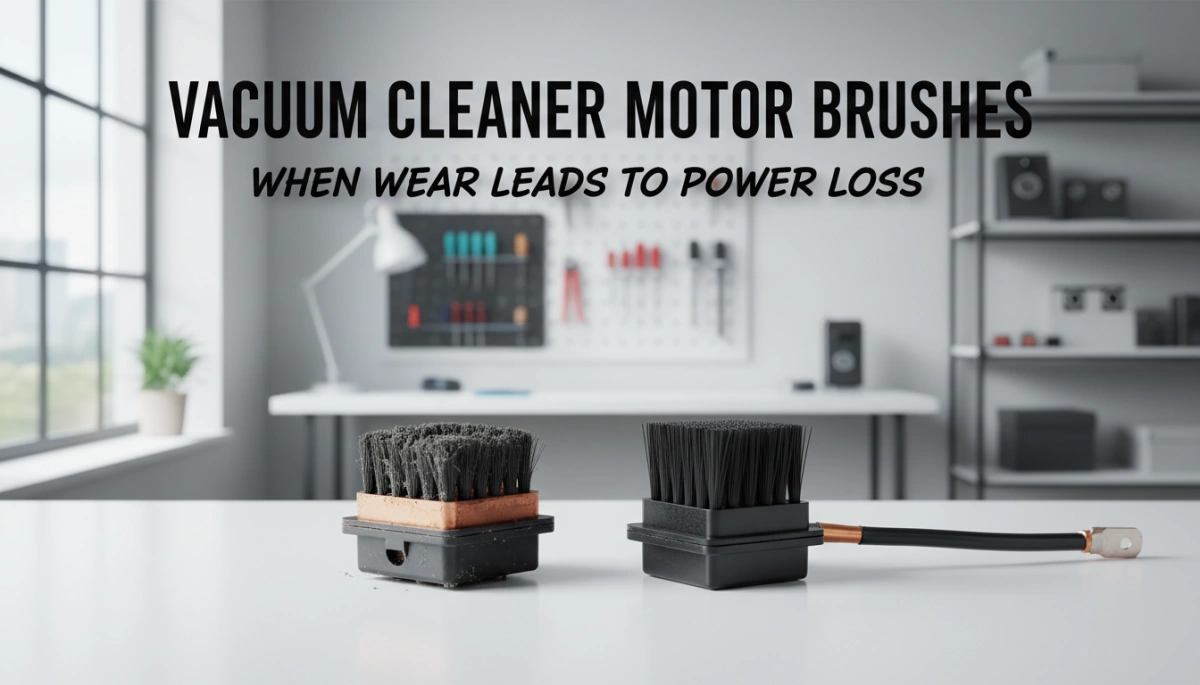
Understanding Carbon Brushes in Vacuum Motors
Carbon brushes are small but crucial components inside a vacuum cleaner motor. They maintain electrical contact by sliding against the commutator, transferring electricity to power the motor. This constant contact allows the motor’s armature to spin and create suction.
| Component | Role |
|---|---|
| Carbon Brushes | Conduct electricity to the motor’s rotating armature |
| Commutator | Rotates with the armature, making contact with brushes |
Brushed vs. Brushless Motors
- Brushed motors use carbon brushes to transfer electricity via physical contact. They are common in many vacuum cleaners due to their cost-effectiveness.
- Brushless motors eliminate brushes, using electronic controllers instead. These last longer and avoid brush wear but tend to cost more.
Why Vacuum Motors Wear Brushes Faster
Vacuum motors often run at high RPMs (speed), causing brushes to wear down quickly. Plus, the motor’s environment is dusty, which makes the brushes grind against dust particles, accelerating wear. Over time, this causes:
- Reduced motor efficiency
- Power loss issues
- Increased chance of sparking inside the motor
Understanding carbon brushes helps you spot when wear leads to vacuum power loss—and when it’s time to consider a carbon brushes replacement.
Signs That Worn Brushes Are Causing Power Loss
One of the first signs your vacuum cleaner motor brushes might be worn is reduced suction or intermittent power. If the vacuum weakens or cuts out during use, worn carbon brushes are often the culprit. You might also notice excessive sparking visible at the motor, which happens when the brushes no longer maintain consistent contact with the commutator, leading to excessive motor arcing.
Another clear warning is a burning smell or unusual noise coming from the motor area. This often indicates the brushes are failing and causing extra friction or electrical resistance. When the motor struggles to start or runs inconsistently, worn brushes can’t reliably transfer power, causing rough or hesitant operation.
In severe cases, worn brushes can lead to complete motor failure, requiring replacement rather than just a brush fix. To know for sure it’s brush-related and not another issue like a clogged filter or a blocked hose, check for motor sparking and smells—clogged filters usually cause suction loss without sparking or burning smells.
If you want to dive deeper into troubleshooting irregular motor sounds or smells, the guide on diagnosing unusual appliance problems can be a helpful resource. Recognizing these worn motor brushes symptoms early can save you time and avoid more expensive vacuum cleaner repair down the road.
Causes of Accelerated Brush Wear
Several factors can speed up wear on your vacuum cleaner motor brushes, leading to power loss and potential damage:
- Heavy usage and fine dust ingestion: Frequent vacuuming, especially in dusty environments, causes fine particles to get inside the motor. This abrasive dust grinds down carbon brushes faster than normal.
- Poor spring tension or misalignment: If the brush springs are too weak or the brushes don’t sit properly against the commutator, they wear unevenly or prematurely. This unequal pressure causes poor electrical contact and increases motor sparking.
- Commutator damage (grooving, threading): A damaged or worn commutator surface makes the brushes work harder to maintain contact. Grooves or pitting on the commutator can quickly ruin new brushes and cause excessive motor arcing.
- Environmental factors (humidity, overload): High humidity can degrade brush materials and increase wear. Overloading the vacuum—like using it for wet pick-up when designed for dry only—also strains the motor and brushes, leading to early failure.
Keeping an eye on these causes can help extend the life of your motor brushes and avoid the common symptoms of vacuum power loss. For more on troubleshooting electrical parts, consider checking out guides on vacuum cleaner repair or motor brush inspection techniques.
How to Inspect Carbon Brushes
Before you start inspecting your vacuum cleaner motor brushes, safety first—make sure the vacuum is unplugged to avoid any electrical shock. Then, carefully disassemble the motor housing to access the carbon brushes. On most vacuum models, you’ll find the brushes near the motor’s commutator, often behind small removable covers or screws.
Once you locate the universal motor brushes, measure their length. If the carbon brushes are worn down to less than about 1/4 to 1/2 inch, it’s time to replace them. Look closely for any signs of uneven wear, cracks, or if the brushes seem stuck and aren’t sliding freely in their holders.
Besides the brushes themselves, inspect the commutator surface for pitting, grooving, or dirt buildup. A damaged or dirty commutator can worsen motor brush wear and cause excessive sparking and power loss. Cleaning the commutator gently with fine sandpaper or a commutator stone can help, but be cautious to avoid further damage.
Regular motor brush inspection helps catch wear early and prevents bigger issues like motor overheating or failure. For more tips on safely handling appliance parts, check out this helpful guide on how to read appliance wiring before working inside.
Step-by-Step Guide to Replacing Carbon Brushes
Replacing carbon brushes in your vacuum cleaner motor is a straightforward task if you have the right tools and follow a clear process. Here’s what you’ll need and how to do it safely and effectively:
Tools and Materials Needed
- Replacement carbon brushes (make sure they match your vacuum model)
- Screwdrivers (Phillips and flathead)
- Needle-nose pliers
- Multimeter (optional, for checking brush continuity)
- Soft cloth or brush for cleaning
- Commutator cleaning tools (fine sandpaper or a commutator stone)
Replacement Process
- Unplug the vacuum to ensure safety before starting any work.
- Disassemble the motor housing. Most models have easy-to-remove covers or panels where the motor brushes are accessed. Check your vacuum’s manual or search online for the access points.
- Locate the carbon brushes. These are usually housed in small plastic holders attached to springs that press the brushes against the commutator.
- Remove the old brushes carefully. Disconnect any clips or wires and gently pull the brushes out of their holders.
- Inspect the commutator. If you notice dirt, grooves, or pitting, clean it gently using fine sandpaper or a commutator stone to ensure smooth contact with the new brushes.
- Insert the new carbon brushes. Make sure they fit snugly and that the spring tension pushes them firmly against the commutator.
- Reconnect wires or clips. Ensure everything is secure before closing up the motor housing.
- Reassemble the vacuum and plug it in for testing.
Bedding In New Brushes
- Run the vacuum at no load (off the floor) for about 10-15 minutes to help the new brushes seat properly against the commutator.
- Avoid heavy vacuuming immediately after replacement to prolong brush life and improve motor performance.
Common Mistakes to Avoid
- Using incorrect replacement brushes. Always get carbon brushes designed for your motor to avoid damage.
- Ignoring commutator cleaning. Dirty or damaged commutators cause rapid brush wear and motor sparking.
- Forgetting to check brush length regularly. Waiting too long can lead to motor damage.
- Over-tightening screws on the motor housing, which can damage parts or misalign brushes.
- Skipping safety precautions, like unplugging before starting the work.
Replacing your universal motor brushes correctly can restore your vacuum’s power and reduce issues like excessive motor sparking or reduced suction power. If you want more detailed steps on vacuum motor repair and part replacements, check out this perfect replacement guide for additional tips and parts selection help.
When Replacement Isn’t Enough
Sometimes, simply replacing the carbon brushes won’t fix your vacuum cleaner motor’s power loss. If you notice persistent motor sparking even after new brushes, or if the motor struggles despite fresh parts, you could be dealing with irreparable commutator or armature damage. Signs include deep grooves, heavy pitting, or burnt spots on the commutator that prevent proper electrical contact.
At this stage, fixing the motor often means more than just a brush swap. You’ll want to weigh the costs:
- DIY brush replacement is usually inexpensive and straightforward.
- Repairing or rewinding the motor to fix commutator or armature damage can get costly and time-consuming.
- Replacing the motor outright can be pricier but restores full function.
- Buying a new vacuum cleaner is an option, especially if your current model is older or repairs are frequent.
For many, upgrading to a brushless vacuum motor is a smart move. Brushless motors eliminate carbon brushes altogether, reducing maintenance needs and improving efficiency and lifespan. While brushless vacuums may come with a higher upfront price, they often deliver better long-term value thanks to fewer repairs and consistent power.
If you’re unsure whether it’s time to replace the motor or the whole vacuum, consider professional advice or check guides on knowing when to call a professional for vacuum repairs to avoid costly mistakes.
Prevention and Maintenance Tips
Keeping your vacuum cleaner motor brushes in good shape starts with regular care. Regular motor cleaning helps prevent dust buildup that can accelerate brush wear and cause power loss. Always clean or replace filters on schedule, as clogged filters reduce airflow and put extra strain on the motor. Using HEPA filters is a smart move—they trap fine dust better and cut down on contaminants reaching the motor brushes.
Avoid overloading your vacuum, especially by picking up wet debris with machines designed for dry use only. This kind of strain can quickly wear out universal motor brushes and lead to excessive motor sparking or burning smells.
Set up a routine inspection schedule to check carbon brushes and the commutator for early signs of wear or damage. Catching problems early can save you from costly vacuum cleaner repairs down the line.
For more detailed tips on keeping your appliances in top condition, check out our guide on general tips to extend appliance life.



Leave a Reply