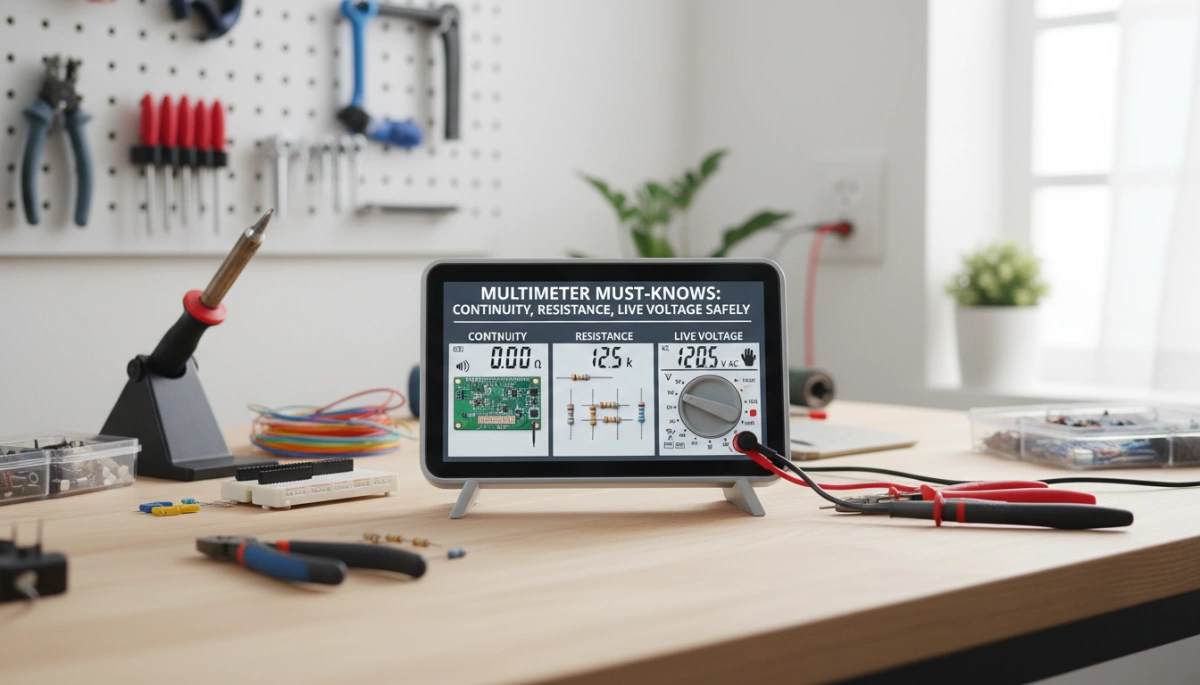
Understanding the Basics: What Your Multimeter Measures
If you’re new to using a multimeter, you might wonder: What exactly does it measure, and how do I read it? Let’s break it down in simple terms.
Types of Multimeters: Digital vs. Analog
Most modern tools are digital multimeters, which show clear, easy-to-read numbers on an LCD screen. Analog multimeters have a needle and dial and are less common these days but still useful for some applications. Both types generally have the same core functions.
Key Multimeter Parts to Know
- Dial/Selector switch: Choose what you want to measure (voltage, resistance, continuity, etc.).
- Display: Shows your measurement result.
- Ports:
- COM (common): Where you plug in the black (negative) test lead.
- V/Ω port: For measuring voltage (V), resistance (Ω), and continuity.
- A port: For measuring current (amperes).
What Do Voltage, Resistance, and Continuity Mean?
- Voltage measures the potential difference that pushes electric current through a circuit (think of it as electrical “pressure”).
- Resistance is how much a component or material opposes the flow of current, measured in ohms (Ω). Higher resistance means less current flows.
- Continuity tests if there is a complete low-resistance path for current to flow, often answered as a yes/no—either beep or no beep.
Why Continuity Is a Simplified Resistance Test
Continuity testing is basically a quick resistance check. When the resistance between your test leads is very low—usually under about 50 ohms—the multimeter emits a beep, indicating a “closed” circuit. So, continuity is just a shortcut to see if the path is good without focusing on the exact resistance value.
By understanding these basics, you’ll feel confident reading your multimeter and knowing what those readings mean as you troubleshoot or check electrical systems.
Safety First: Rules You Must Follow Every Time
When using a multimeter, always treat circuits as live until proven otherwise—assume voltage is present to avoid shocks or injury. Before testing, wear proper PPE like insulated gloves and safety glasses to protect yourself from accidental contact or sparks.
Check your multimeter’s CAT rating to ensure it’s suitable for the type of voltage and environment you’re working in. Also, inspect the leads and fuses for damage or wear—faulty test leads can cause false readings or dangerous shorts.
A crucial safety rule: never perform continuity or resistance tests on live circuits. Doing so risks damaging your meter, receiving an electric shock, or getting inaccurate results. Always discharge capacitors and isolate components when possible before testing resistance or continuity.
When handling probes, connect the COM (common) lead first, then attach the live lead. When finished, always remove the live lead before disconnecting the COM lead. This safe probe handling reduces the chance of accidental short circuits or shocks.
Following these safety tips ensures your multimeter use stays trouble-free and protects both you and your tools. If you’re looking into appliance repairs, such as troubleshooting refrigerators or ovens, safety always comes first for reliable results. For instance, understanding how to test safely can help when diagnosing appliance wiring—check out guides on why your refrigerator door won’t close or reviving your oven for safe testing tips.
Measuring Voltage on Live Circuits Safely
Measuring voltage safely is one of the most important multimeter must-knows, especially when working on live circuits. There are two main types of voltage you’ll encounter: AC (alternating current) and DC (direct current). Your multimeter lets you test both, but the procedure and settings differ slightly.
| Step | Action |
|---|---|
| 1. Select Mode | Choose AC (V~) or DC (V⎓) mode on the multimeter dial. |
| 2. Choose Range | Pick the appropriate voltage range if not auto-ranging — start high to avoid damage. |
| 3. Insert Leads | Plug the black lead into the COM port and the red lead into the V/Ω port. |
| 4. Probe Safely | Touch the red probe to the live point and the black probe to neutral or ground — avoid contact with live parts yourself. |
Interpreting Readings:
Readings may vary slightly. For example, a 120V AC outlet in your home often reads between 115V and 125V. This difference is normal and due to small fluctuations in the power supply.
Tips for Safe Live Voltage Testing
- Use a non-contact voltage tester first to check if a wire is live before touching it with probes.
- One-hand technique: Keep one hand free (away from the circuit) to reduce the risk of current passing through your body.
- Avoid testing high-voltage circuits unless your multimeter is rated for it. Always check your multimeter’s CAT safety rating.
Following these steps ensures accurate voltage measurements without putting yourself or your multimeter at risk. For more detailed safety tips and practical multimeter advice, you can explore guides like troubleshooting common home appliance issues, ensuring you stay safe while measuring live voltage.
Testing Continuity: Finding Breaks and Good Connections
Continuity means there’s a complete path for electricity with very low resistance—usually under 50 ohms. It’s basically a quick way to check if a wire, fuse, switch, or connection is good or broken.
Here’s a simple step-by-step for how to test continuity safely and accurately:
- Power off and isolate the circuit or component before testing to avoid damage or false readings.
- Set your multimeter dial to the continuity mode (look for the speaker icon) or the lowest resistance range.
- Touch the test leads together—your meter should beep, confirming that the continuity test is working.
- Next, place the probes across the component you want to check.
- If you hear a beep or see a very low reading, the connection is good.
- If there’s no beep and the meter shows OL (open loop) or infinite resistance, the path is broken or open.
Continuity testing is great for checking fuses, switches, wires, cables, and ground connections to spot breaks or faults.
Keep in mind the beep threshold varies by multimeter model, so it’s not a full current-carrying test but more of a quick go/no-go check. For example, if you’re troubleshooting an appliance, this can quickly tell you if a fuse is blown before deciding to replace it. For more detailed diagnostics, measuring exact resistance values gives you more insight.
For related tasks like checking appliance elements safely, you can explore guides on how to replace a faulty oven to see continuity checks in action.
Measuring Resistance: Beyond the Beep
Resistance, measured in ohms (Ω), shows how much a component or wire resists electric current. Higher resistance means more opposition, while a low number means the path allows current to flow easily.
Steps to Resistance Safely:
- Power off and de-energize the circuit to avoid shock or damage.
- Set your multimeter to the resistance mode (Ω). Auto-ranging is best for ease.
- Insert the probes: black lead in COM, red in the V/Ω port.
- Touch probes across the component or wire—make sure nothing else is connected to avoid false readings.
How to Read Resistance Values:
| Reading | What It Means |
|---|---|
| Near 0 Ω | Short circuit or good wire |
| Expected value | Normal resistor or component |
| Very high/OL | Open circuit or broken wire |
Unlike continuity testing, which just beeps if resistance is low, resistance measurement gives you an exact value. This helps diagnose partial failures or confirm a component’s specs.
Knowing how to measure resistance with a multimeter is key when troubleshooting electronics or appliances. For example, checking an appliance heating element’s resistance helps confirm if it’s still functional. If you want to learn more about practical repairs involving resistance, check out how to fix a refrigerator that’s not cooling.
Remember, resistance testing is only safe on de-energized circuits—testing live can cause misleading results or multimeter damage. Always double-check before you start!
Common Mistakes and Troubleshooting Tips
When using a multimeter, avoiding common mistakes is key to accurate results and keeping your device safe. First off, never test continuity or resistance on a live circuit. Doing so can blow your meter’s fuse, give false readings, or even cause electric shock. Always de-energize the circuit before testing.
Watch your multimeter dial settings and ports carefully. A common error is trying to measure voltage while the leads are plugged into the current (A) port, which can damage both the meter and the circuit. Always use the COM port (black lead) and the appropriate port for voltage or resistance (usually the V/Ω port for voltage and resistance tests).
Dirty or worn-out probes also lead to unreliable readings. Keep your test leads clean, and replace them if wires are exposed or connectors are loose. Also, reversed leads won’t cause damage but will give negative readings or no response, so check polarity especially for DC voltage.
Un-discharged capacitors within a circuit may hold residual voltage, resulting in ghost or inaccurate readings during resistance or continuity tests. Make sure to safely discharge capacitors before testing to avoid confusion.
If you notice odd or fluctuating numbers, double-check lead placement and connections, and retest with clean contact points. Simple fixes include:
- Cleaning contact surfaces
- Confirming circuit is fully off
- Trying another meter or lead set
- Resetting your multimeter
Mastering these troubleshooting tips will improve your skills and keep your tools safe for years to come. For more insights on electrical safety and testing, check tips on preventive maintenance which can complement your multimeter use.
Practical Examples and Real-World Applications
Knowing how to use your multimeter for continuity, resistance, and live voltage testing comes in handy across many real-world situations.
Automotive Use
Car wiring can be tricky. Checking continuity helps spot breaks in wiring harnesses or faulty grounds. Measuring sensor resistance ensures parts like oxygen sensors work within specs. Checking battery voltage confirms if your battery is charged or needs a replacement. These tests save you time and costly repairs.
At Home
Your multimeter is great for checking live voltage on outlets safely, ensuring they deliver the right power. Testing extension cords for continuity can prevent unexpected power failures. Measuring resistance in appliance heating elements, such as in dryers or ovens, can quickly diagnose whether a part is burnt out or still good. For appliance repair help, tools like multimeters are essential – see more on making the wise choice to invest in quality tools.
Electronics and Hobby Projects
For electronics, continuity tests confirm if PCB traces are intact or if connections are broken. Measuring exact resistor values helps verify components during assembly or troubleshooting. This precision is vital to avoid guesswork and ensure devices work as expected.
Using your multimeter confidently across these applications keeps your work safe and efficient while helping you diagnose electrical problems fast.



Leave a Reply