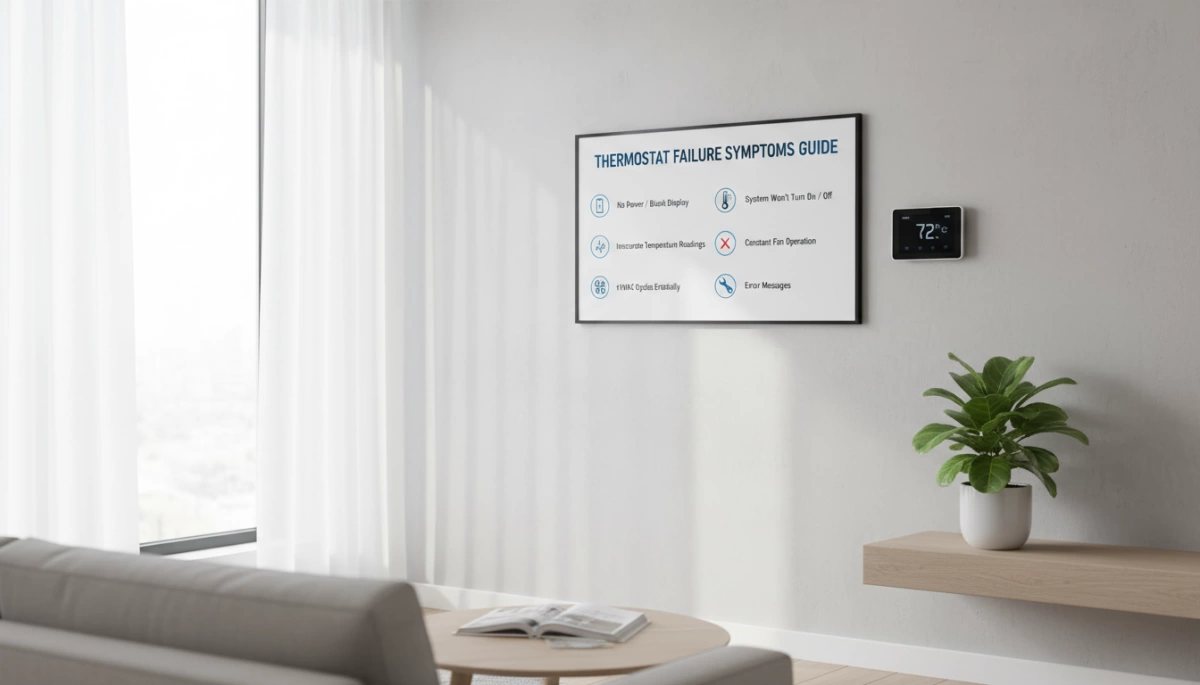
If your home thermostat isn’t keeping the temperature right or your energy bills are creeping up without explanation, you might be facing thermostat failures. Understanding the common symptoms and causes of a faulty thermostat is key to avoiding bigger HVAC headaches down the line. In this guide, you’ll get straightforward insights on how to spot warning signs and practical replacement tips—whether you want to troubleshoot yourself or know when it’s time to call a pro. Let’s cut through the confusion and get your home comfortable again.
Common Causes of Thermostat Failure
Thermostat failures often start with aging and normal wear. Most thermostats last about 10-15 years, after which components can degrade, leading to faults. Over time, dust buildup and poor maintenance also cause problems by interfering with sensors and moving parts, which affects performance.
Another frequent issue is wiring problems or loose connections. These can disrupt signals between your thermostat and HVAC system, resulting in erratic behavior. For digital models, battery failure is a common culprit that causes displays to blank or controls to become unresponsive.
Incorrect thermostat placement can cause inaccurate thermostat readings. For example, installing the unit near drafts, direct sunlight, or heat sources leads to false temperature sensing and uneven home heating or cooling.
Lastly, power supply problems—such as tripped breakers or electrical faults—can prevent your thermostat from working properly. These common causes explain many HVAC thermostat problems homeowners face and are good starting points when diagnosing thermostat failure.
Key Symptoms of a Failing Thermostat
Recognizing the signs of a bad thermostat early can save you from bigger HVAC issues. Here are the common faulty thermostat symptoms to watch for:
- HVAC system won’t turn on or off properly. Your heating or cooling may run nonstop or fail to start when needed.
- Inaccurate thermostat reading. If the displayed temperature doesn’t match how the room actually feels, your thermostat may be off.
- Uneven heating or cooling throughout the home. Some rooms feel too hot or cold while others are comfortable.
- Constant running or short cycling. The furnace or AC rapidly turns on and off, which can strain your system and increase wear.
- Unresponsive controls or a blank/flickering display. If buttons don’t respond or the screen is erratic, the thermostat might be faulty.
- Frequent resets or loss of programmed settings. You find yourself reprogramming the thermostat often because it forgets your schedules.
- Unexpected spikes in energy bills without any change in usage. A failing thermostat can cause your HVAC to operate inefficiently, driving up costs.
If you notice any of these HVAC thermostat problems, it’s a strong sign your thermostat needs closer inspection or replacement. For temperature reading issues, a good starting point is to explore methods for fixing temperature inaccuracies to narrow down the cause.
How to Diagnose a Faulty Thermostat
Start with some basic checks to diagnose thermostat issues. First, verify that the settings are correct, replace the batteries if your thermostat is digital, and try resetting the unit. Dust buildup can cause faults, so carefully inspect the thermostat and clean it gently without damaging any components.
Next, test the temperature accuracy using a separate thermometer. If the room feels warmer or cooler than what the thermostat displays, this could indicate inaccurate thermostat readings or calibration problems. Also, check the wiring connections for any loose or damaged wires and make sure the circuit breaker hasn’t tripped.
It’s important to rule out other HVAC problems like dirty air filters or low refrigerant levels, as these can cause uneven heating or cooling and may mistakenly be attributed to thermostat failure. Knowing when to suspect the thermostat itself versus larger system issues can save you time and money.
For more detailed troubleshooting advice on household appliance issues, you might find helpful tips in our guide on how to diagnose unusual appliance problems.
Thermostat Replacement Guide
When your thermostat shows persistent signs of failure, deciding between a repair or full replacement is the first step. Generally, if your unit is over 10-15 years old or has multiple issues like inaccurate thermostat reading or blank thermostat screen, replacement is the better option.
Types of Thermostats
| Type | Features | Best For |
|---|---|---|
| Non-programmable | Basic on/off control | Simple systems |
| Programmable | Set schedules to save energy | Regular users wanting savings |
| Smart/Wi-Fi | Remote control, learning features, app control | Tech-savvy, energy-conscious users |
Tools and Materials Needed
- Screwdriver (usually Phillips and flathead)
- Voltage tester (for safety)
- Replacement thermostat
- Wire labels (to mark connections)
- Batteries (for digital models)
DIY Replacement Steps
- Turn off power to HVAC system at the breaker to avoid electric shock.
- Remove the thermostat cover and label wires before disconnecting.
- Unscrew the old thermostat from the wall.
- Mount the new thermostat back on the wall, connecting wires according to labels or instructions.
- Insert batteries if required, replace the cover.
- Turn power back on and program your thermostat following the manual.
- Test the system to ensure heating/cooling responds correctly.
Safety Warning: Never skip turning off power and double-check wiring connections to avoid damage or injury.
Compatibility Considerations
- Ensure your new thermostat is compatible with your HVAC system type (gas, electric, heat pump).
- Check voltage requirements and wiring terminals to match your setup.
- Some smart thermostats need a C-wire (common wire) for continuous power.
Upgrading to a modern thermostat not only fixes HVAC thermostat problems but also improves energy efficiency and offers convenient remote control options from your smartphone. For a detailed look at selecting the right replacement, consult a perfect thermostat replacement guide.
Professional vs. DIY Replacement
Knowing when to tackle a thermostat replacement yourself versus calling in a pro can save you time and money. DIY is usually suitable if your thermostat has simple wiring and you’re installing a compatible model, like many programmable thermostats or basic digital units. If you’re comfortable with basic tools, following step-by-step instructions, and taking safety precautions, replacing your thermostat can be straightforward.
However, you should consider hiring a professional when dealing with complex wiring, older HVAC systems, or if you’re unsure about compatibility and installation steps. Signs you need expert help include extensive thermostat wiring problems, unusual HVAC behavior after replacement, or if your system requires recalibration or integration with a smart setup.
On average, thermostat parts can range from $20 for simple models to $250 or more for advanced smart thermostats. Professional installation typically adds $75 to $200 depending on your location and system complexity. If you choose to hire a technician, look for licensed HVAC experts with good reviews, who provide clear pricing and warranty options. Finding a reliable service can ease your concerns, especially if you encounter ongoing HVAC thermostat problems after replacement.
For advice on when to call a professional for appliance repairs, you might find this guide on when to call a professional for HVAC and home appliance repair helpful.
Prevention and Maintenance Tips
Keeping your thermostat in good shape is the best way to avoid thermostat failures and the common HVAC thermostat problems that come with them. Here are some simple but effective prevention and maintenance tips:
- Regular Cleaning and Battery Checks: Dust buildup can cause your thermostat to malfunction, so clean it gently on a regular basis. For digital and programmable models, replace the batteries yearly or whenever you notice symptoms like a blank thermostat screen or unresponsive controls. For helpful advice on battery care, check out these battery maintenance tips.
- Optimal Thermostat Placement: Avoid placing your thermostat near heat sources, drafts, direct sunlight, or cold spots. Poor placement can cause inaccurate thermostat readings, making your HVAC system work harder than needed.
- Annual HVAC Tune-ups: Schedule yearly maintenance with a professional technician to ensure your entire heating and cooling system is running smoothly. This helps catch problems early before they affect your thermostat’s performance.
- Upgrade to Energy-Efficient Models: Consider replacing older thermostats with newer programmable or smart thermostats. These offer better accuracy, energy-saving features, and remote control options, improving comfort and lowering energy bills in the long run.
By following these tips, you can extend your thermostat’s lifespan and avoid common signs of bad thermostat performance. Regular upkeep keeps your system reliable and energy-efficient year-round.



Leave a Reply