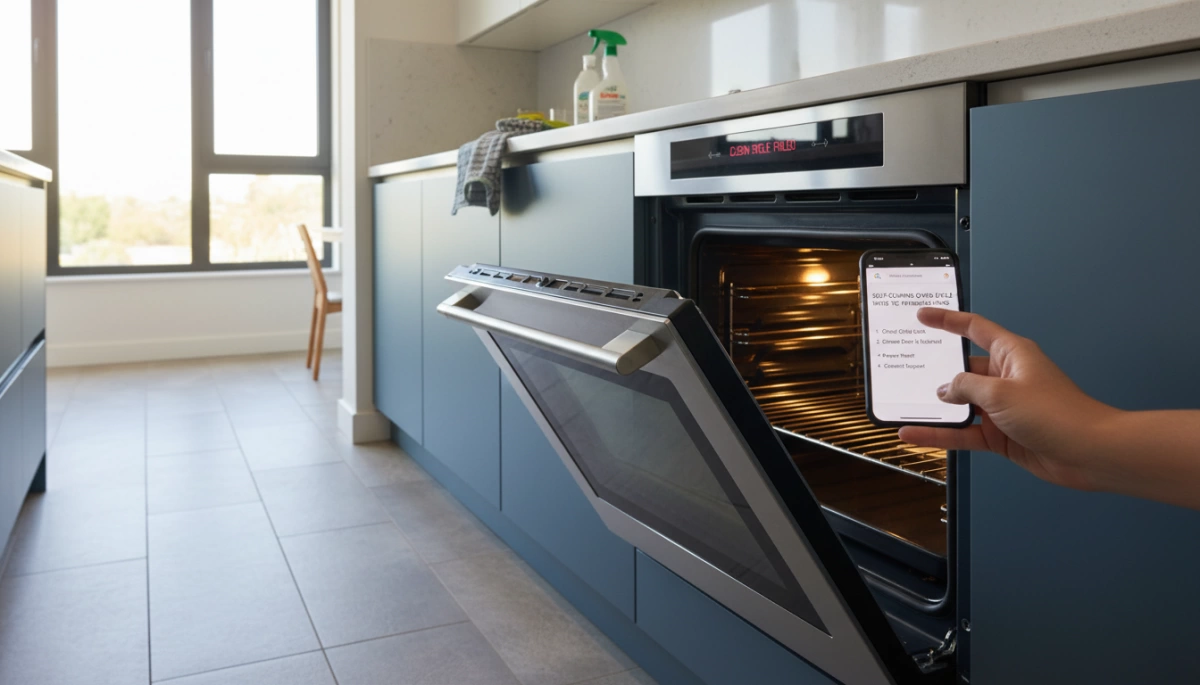
Is your self-cleaning oven cycle not working when you need it most? Whether it won’t start, stops halfway, or leaves you with a locked door, these glitches can be a real headache. The good news? Many common problems have straightforward, DIY fixes that save you time and costly repairs. In this guide, you’ll discover the key reasons behind self-cleaning oven cycle failures, practical troubleshooting tips, and when it’s time to call a pro—so you can get back to cooking with confidence.
Self-cleaning oven cycle not starting: Common reasons and quick checks
If your self clean oven not starting, it can be frustrating, but there are some quick checks you can do before calling a repair technician. Here are the most common reasons why the self-cleaning oven cycle won’t start:
- Door not properly closed or locked: The self-clean cycle won’t begin unless the oven door is securely locked for safety.
- Child lock or control panel lock is on: Check if your oven’s control panel is locked, which can prevent the cycle from initiating.
- Incorrect settings or cycle not selected properly: Double-check the self-clean mode settings to ensure you’ve activated the cycle correctly.
- Power supply issues: Make sure the oven is plugged in and the breaker hasn’t tripped.
- Control board or keypad problems: A faulty control panel may prevent the self-clean button from responding.
Quick Fix Tips:
- Close and firmly latch the oven door.
- Turn off child lock if it’s active.
- Unplug the oven for a few minutes and reset power.
- Verify the correct self-clean cycle is selected as per your manual.
Doing these simple checks can often solve the problem when your self-clean oven cycle not starting. If none of these work, the issue may require deeper troubleshooting or professional help.
Safety precautions before troubleshooting
Before diving into self cleaning oven troubleshooting, it’s important to take a few safety steps. Self-clean cycles reach very high temperatures, which can cause excessive smoke or odors. To avoid this:
- Ventilate the area well by opening windows or turning on exhaust fans.
- Remove pets and children from the kitchen during the cycle to protect them from fumes.
- Wait for the oven to cool down completely before touching or attempting any fixes.
If you need to reset the oven after self clean, always turn off the power at the circuit breaker first to avoid electrical shocks. Avoid unplugging the oven during a cleaning cycle, as this can damage the control board or make the oven door locked after cleaning.
Taking these simple precautions helps keep you safe and protects your oven from further damage during self clean oven not starting or other issues.
Basic fixes and troubleshooting steps: Door locking, control panel, and settings
If your self-cleaning oven cycle is not starting, the first things to check are the door lock, control panel, and settings. The oven’s safety system won’t allow the cycle to begin unless the door is locked properly. Here’s what you can do:
- Check the door lock: Make sure the door closes fully and the latch engages. Sometimes debris or grease can block it. If the door won’t lock, the self-clean cycle won’t start.
- Inspect the control panel: Look for any unresponsive buttons or error messages. Sometimes a simple reset helps—turn off the power to the oven for a minute, then switch it back on to clear minor glitches.
- Review your settings: Confirm you’ve selected the correct clean cycle and that the timer is set properly. Some ovens require you to press and hold the clean button to start.
- Look for error codes: If the oven shows an oven self clean error code, consult your manual to understand what it means. This can help pinpoint issues like a door lock motor failure or control board trouble.
By starting with these basic checks, you can often fix common problems with a self clean oven not starting without needing professional help.
Why the self-clean cycle starts but doesn’t heat properly
If your self-cleaning oven cycle starts but doesn’t heat properly, there are a few common reasons to check. One major cause is a blown thermal fuse. This safety part cuts power to the heating elements if the oven overheats or detects a fault. When this happens, your oven may show error codes or simply fail to get hot during the self-clean cycle.
Another key culprit is a faulty bake element. Even if the cycle begins, the bake element might not be heating up as it should, preventing your oven from reaching the high temperatures needed for cleaning.
Sometimes, you might spot an oven self clean error code on your control panel. These codes point to specific problems like a malfunctioning door lock, sensor issues, or control board faults affecting the heating process.
Quick checks to fix heating problems:
- Look for error codes and look up their meaning in your oven manual.
- Test or replace the thermal fuse if you have a multimeter handy.
- Inspect the bake element for visible damage or breaks.
- Make sure the door lock mechanism is fully engaged as some ovens won’t heat without it locked.
If these basics don’t solve the issue, the problem might lie deeper in the oven control board or sensors, and you may need professional help to avoid further damage.
Cycle completes but oven door won’t unlock: Testing door lock mechanism and stuck latch
If your self-cleaning oven cycle finishes but the oven door won’t unlock, it’s usually due to a stuck latch or a faulty door lock motor. This is a common problem with ovens like GE and Whirlpool models that use an automatic locking mechanism during the self clean cycle for safety.
Here’s how to test and fix it:
- Wait a bit longer: Sometimes the door lock takes a few minutes to release after the cycle ends. Give it 30 minutes before trying anything else.
- Power reset: Unplug the oven or switch off the breaker for a few minutes to reset the control board. This can reset the door lock motor.
- Manual release: Look for a small slot or manual release near the door latch inside the oven frame. Check your oven’s manual—it often allows you to unlock the door manually in emergencies.
- Inspect the door lock motor: If the door remains locked, the lock motor might have failed. Testing it with a multimeter can confirm this, but here, calling a professional might be safer and easier.
- Check for stuck latch: Sometimes food debris or warping can jam the latch. Try gently wiggling or pressing on the door while unlocking to free it, but avoid forcing it to prevent damage.
A door stuck after the self cleaning cycle can be frustrating, but these simple steps usually fix the problem without replacing parts right away. If the door still won’t unlock, the issue might be a broken door lock switch or control board error, which needs expert repair.
Oven not working after self-clean cycle: Faulty sensors, tripped thermal fuse, control board issues
If your oven isn’t working right after the self-cleaning cycle, there are a few common problems to check. First, faulty sensors can cause the oven to shut down or fail to heat. These sensors monitor temperature during the intense cleaning and may get damaged or disconnected.
Another frequent issue is a tripped thermal fuse. The self-clean cycle runs at very high temperatures, and if the oven gets too hot, this safety device will cut power to prevent damage. Once the thermal fuse is blown, the oven won’t turn on until it’s replaced.
Finally, problems with the oven control board can arise after self-cleaning. The control board manages the oven’s functions and may get damaged by heat or electrical surges during the cycle, causing the oven to stop working.
Quick checklist:
- Inspect and test temperature sensors for damage
- Check if the thermal fuse is blown and replace if needed
- Look for error codes indicating control board problems
- Reset the oven power by unplugging for a few minutes
If these steps don’t bring your oven back to life, it’s best to seek professional help, as control board repairs or sensor replacements often require expert diagnostics.
Step-by-step guide to fixing a stuck self-clean cycle
If your self-cleaning oven cycle is stuck, don’t panic. Here’s how to fix it step-by-step:
-
Wait it out
Sometimes, the oven door stays locked because it’s still cooling down after the cycle. Give it at least 1 to 2 hours. The door lock won’t release until the oven temperature drops to a safe level.
-
Manually release the door latch
If the door stays locked after waiting:
- Turn off the oven at the circuit breaker to cut power.
- Look for a manual latch release near or behind the oven door frame (check your oven manual).
- Use a flat tool or carefully pull the manual release to unlock the door.
- Be cautious: the oven and latch parts might still be hot.
-
Reset the oven control
After the door unlocks:
- Switch off the oven completely by unplugging or turning off the breaker for a few minutes.
- Turn it back on and try to start a new self-clean cycle or another function.
- This reset often clears errors related to the door lock motor failure or control board glitches.
-
Check for error codes
If your oven shows an oven self clean error code, note it down. This can hint at specific parts like a blown thermal fuse or a faulty control board needing replacement.
-
Contact a pro if stuck
If none of these steps unlock the cycle, or the oven won’t respond after reset, it’s safer to call a professional. Forced door opening or tampering can damage your oven further.
Following these steps can solve most cases of a stuck self-clean cycle, getting your oven back to normal without extra hassle.
Professional repair and preventive maintenance tips
When your self-cleaning oven cycle isn’t working properly, sometimes professional repair is the best move. Experts can handle tricky issues like door lock motor failure, control board damage, or faulty thermal fuses that aren’t easy to fix at home. They also know brand-specific quirks, whether it’s a GE oven self clean problem or a Whirlpool self clean not working issue.
To avoid frequent repairs, focus on preventive maintenance:
- Avoid excessive smoke during the self-clean cycle by wiping up heavy spills beforehand. Excess grease can cause the oven to smoke a lot and even trigger error codes.
- Ensure proper ventilation in your kitchen. Good airflow helps reduce odors and smoke buildup, making the self-clean cycle smoother and safer.
- Use brand-recommended cleaning methods and settings. Some ovens offer a steam-clean option that’s less harsh and reduces wear on parts.
- Schedule regular inspections to catch small issues before they become costly repairs.
Following these tips helps keep your oven running smoothly and reduces the chance of the self-clean cycle not starting or finishing properly.
When to Call a Professional: Persistent Errors, Costs, and What to Expect
If your self-cleaning oven cycle is still not working after trying basic fixes, it’s time to call a professional. Persistent errors like oven self clean error codes, a door lock motor failure, or if your oven won’t heat after self clean can mean deeper issues with the control board or badly damaged components.
When to call:
- The oven door locked after cleaning won’t unlock despite manual attempts
- Thermal fuse blown oven symptoms come back repeatedly
- The oven won’t start or heat even after resets and troubleshooting
- You notice burning smells or excessive smoke during the cycle
- Your brand-specific problems—for example, GE oven self clean problems or Whirlpool self clean not working—aren’t solved by usual steps
What to expect:
- Repair costs vary depending on part replacements, like door lock motors or control boards
- A technician will run diagnostics to pinpoint issues like thermal fuse faults or control board damage
- They can perform safe manual overrides or part replacements to fix stuck or faulty cycles
- Professionals also advise on maintenance to prevent future breakdowns
Calling a pro saves time and avoids the risk of further damage from DIY fixes when the problem is beyond simple troubleshooting.
Prevention Tips for Reliable Self-Cleaning
To keep your self-cleaning oven working smoothly, regular care goes a long way. Here are some simple prevention tips:
- Run the self-clean cycle regularly: Using the self clean oven cycle often helps prevent heavy buildup, making each clean easier and less likely to cause problems like door lock motor failure or error codes.
- Avoid heavy messes before starting the cycle: Wipe up big spills or loose food crumbs before running the self-clean cycle. This reduces excessive smoke self clean oven issues and helps the oven clean more evenly.
- Use the steam-clean option when possible: Many ovens offer a steam clean setting, which is gentler and uses less energy. It’s great for light cleaning and helps avoid stress on parts like the thermal fuse or control board.
By following these tips, you can avoid common problems like your self clean oven not starting or the oven door locked after cleaning. Keeping your oven in good shape means fewer repairs and better performance over time.
FAQs about self-cleaning ovens
How long does a self-cleaning cycle take?
Most self-clean oven cycles last between 2 to 4 hours, depending on your oven model and the level of cleaning selected. Some ovens offer shorter options like a quick clean or steam clean, which take less time but are less intense.
Is it safe to have pets nearby during the self-clean cycle?
Pets can be sensitive to the smoke and odors produced during the cycle, especially from burnt food residue. It’s best to keep pets out of the kitchen until the cycle finishes and the oven has cooled down to avoid any respiratory irritation.
How do I clean up the ash left after the cycle?
Once the cycle ends and the oven cools, simply wipe out the fine ash using a damp cloth or sponge. Avoid using harsh cleansers — water and a cloth usually do the trick well.
What’s the difference between steam clean and self-clean modes?
Self-clean is a high-temperature pyrolytic process that burns off food residue at very high heat, taking longer and producing ash.
Steam clean uses water vapor at lower temperatures, which softens grime for easier wiping but isn’t as thorough or deep-cleaning as the pyrolytic self-clean.
What if my self-clean oven doesn’t start or shows error codes?
Common reasons include door lock issues, thermal fuse problems, or control board errors. Refer to your manual for specific error codes like “oven self clean error code” or “door lock motor failure” and follow basic self cleaning oven troubleshooting steps.
By knowing these basics about your self-cleaning oven, you can keep it running smoothly and maintain a clean kitchen without hassle.



Leave a Reply