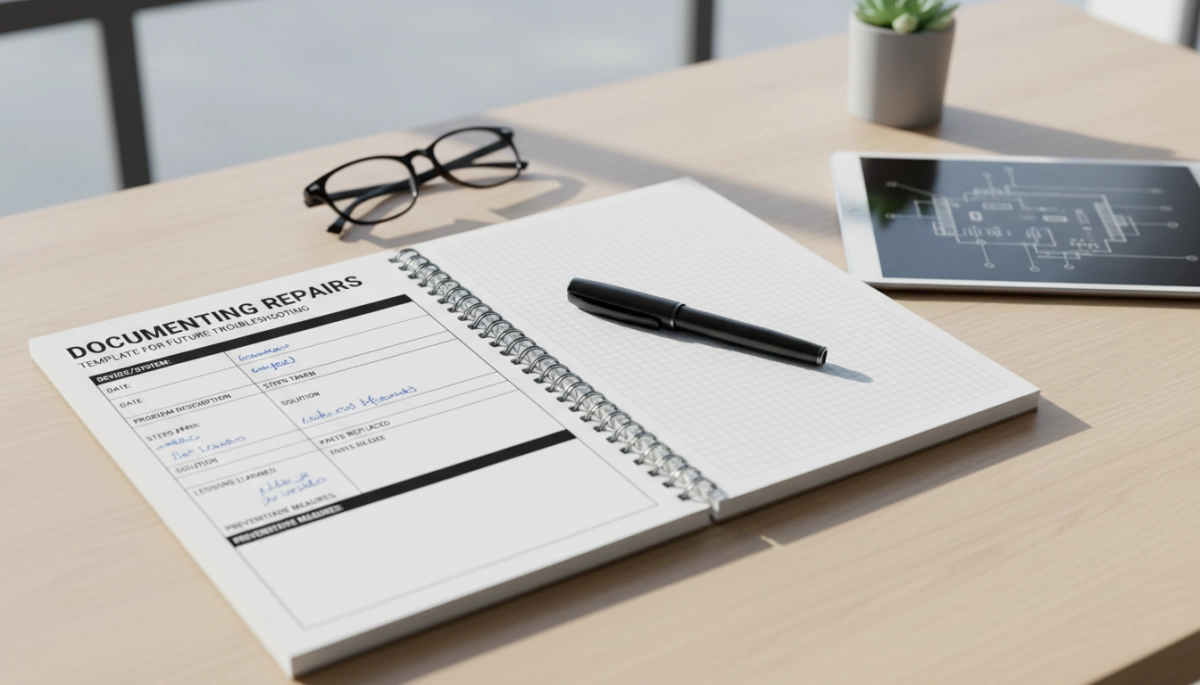
Why Proper Repair Documentation Matters
Keeping a thorough repair log template is essential for efficient troubleshooting and maintenance documentation. When you document repairs properly, you reduce resolution time for repeat problems by providing clear historical context. This allows you and your team to quickly identify what was done before and avoid unnecessary guesswork.
Well-kept equipment repair records also help reveal patterns in failures, such as frequent part wear or environmental triggers. Spotting these trends early can save time and costs by enabling proactive fixes and better resource planning.
Accurate repair documentation supports warranty claims, compliance with standards, and helps determine asset valuation. For businesses, this ensures you meet regulatory requirements while maximizing the value of your machinery and equipment.
Moreover, a detailed maintenance documentation system improves knowledge transfer. Whether you’re training a new technician or handing over assets to future owners, documented repair histories make the process smoother and reduce risks.
Consider real-world examples:
- In automotive repairs, a vehicle repair log helps mechanics avoid repeating the same fixes.
- For home appliances, service technicians use appliance service templates to track common faults and repairs.
- In IT hardware troubleshooting, diagnostic documentation allows teams to promptly address recurring system failures.
By maintaining a clear, detailed repair history tracker, you empower yourself to solve problems faster and keep equipment running at its best.
Essential Elements to Include in Every Repair Log
A thorough repair log template ensures you capture everything needed for clear, useful maintenance documentation. Here’s what to include in your equipment repair record every time:
- Equipment/Asset Details: Record the model, serial number, exact location, and purchase date. This info helps track the item’s history and warranty status.
- Issue Description: Note symptoms, any error codes, what the user reported, and possible triggers. Clear problem details speed up troubleshooting later.
- Diagnostic Steps: List the tests performed, tools used, and key observations. This diagnostic documentation shows how you identified the problem.
- Repair Actions: Detail parts replaced, adjustments made, or steps taken to fix the issue. This becomes part of the asset repair history.
- Outcome and Verification: Include results from post-repair testing and confirm if functionality is restored. This confirms the repair success.
- Additional Notes: Mention challenges faced, preventive tips, or useful reminders. Adding photos or screenshots can give extra context.
- Metadata: Always log the date, technician’s name, time spent, and costs incurred. This tracks repair timelines and expenses clearly.
Capturing these key points turns a simple troubleshooting log into a powerful tool for ongoing equipment maintenance. For appliance repairs, including specifics like error codes or unusual symptoms is especially helpful—similar to tracking issues like those seen in trouble spots like uneven oven heating documented in preventive maintenance logs. For more appliance-related repair tips, browsing detailed guides such as those for refrigerator thermostat problems can also sharpen your documentation approach.
Free Customizable Repair Documentation Template
To make documenting repairs easier, a free customizable repair documentation template is a great starting point. Most templates come in a simple table format that’s perfect for keeping your equipment repair record clear and organized.
Downloadable Options
- Simple Excel or Word templates: Ideal if you prefer offline access and easy editing.
- Advanced digital tools: Use cloud-based troubleshooting logs or maintenance documentation apps for better searchability and team sharing.
How to Use the Template
- Fill in the basic equipment details like model and serial number.
- Describe the issue clearly, noting symptoms and any error codes.
- Record diagnostic steps and tools used.
- List the repair actions taken and parts replaced.
- Confirm the outcome with post-repair testing.
- Add any extra notes such as challenges faced or future recommendations.
Variations for Different Use Cases
- Vehicle repair logs: Focus on mileage, service intervals, and parts specific to automotive systems.
- Home appliance templates: Include warranty info and typical fault codes.
- Machinery maintenance records: Add space for routine checks and downtime tracking.
Using a customizable template keeps your asset repair history consistent and saves time when logging service reports. Whether you’re managing IT hardware troubleshooting or appliance fixes, having a ready repair log template tailored to your needs is key for smooth maintenance workflows.
Step-by-Step Guide to Documenting a Repair
To get the most from your repair log template, follow these clear steps for every repair:
1. Prepare Before Starting
- Gather all necessary tools and parts.
- Review previous equipment repair records or troubleshooting logs for context.
- Make sure you have your maintenance documentation or service report template ready to fill in.
2. Document During the Repair
- Note symptoms and triggers exactly as they appear.
- Record diagnostic steps in real-time, including tests performed and tools used.
- Capture any unexpected challenges or observations as they happen.
3. Update After Completion
- Confirm the repair outcome by testing the equipment or asset.
- Fill in the repair actions, parts replaced, and adjustments made in your repair history tracker.
- Attach photos, screenshots, or any relevant diagnostic documentation for future reference.
4. Review and Archive
- Double-check all fields in your troubleshooting log for accuracy and completeness.
- Tag the entry for easy search—include dates, technician name, and issue keywords.
- Share the updated repair log with your team or upload it into your digital maintenance system, such as a CMMS or spreadsheet.
Following this simple routine helps build a thorough asset repair history—cutting downtime and simplifying future troubleshooting.
Best Practices for Long-Term Troubleshooting Success
To get the most out of your repair log template and ensure smooth troubleshooting over time, consistency is key. Always use the same format for every repair—this helps keep your equipment repair records organized and easy to follow.
Including visuals like photos, diagrams, or scans of parts before and after the repair adds valuable context to your maintenance documentation. These images can quickly reveal wear patterns or confirm that fixes were done right.
Make it a habit to review your repair history tracker regularly. Tracking trends in failures or recurring issues can help you identify root causes and prevent future downtime.
When it comes to choosing between digital and paper logs, digital options like apps or spreadsheets have clear advantages. They make your troubleshooting log searchable, easier to update, and shareable across teams, boosting overall efficiency.
Avoid common pitfalls such as vague descriptions, skipping important details, or inconsistent formatting. Clear, detailed notes in your service report template ensure that future repairs go faster and troubleshooting doesn’t hit dead ends.
Following these best practices sets you up for smarter asset repair history management and long-term maintenance success.
Tools and Resources for Better Repair Logging
Using the right tools and resources can make documenting repairs simpler and more effective. Start with free repair log templates and forms that you can customize to fit your needs — these are great for creating a solid maintenance documentation foundation without extra costs. For example, you’ll find reliable downloadable templates that cover everything from appliance fixes to vehicle repair logs.
For more advanced tracking, consider software options like CMMS apps (Computerized Maintenance Management Systems), Google Sheets, or dedicated maintenance trackers designed for asset repair history and troubleshooting logs. These digital tools help keep everything searchable, easy to update, and accessible across teams.
Integrating your repair documentation with preventive maintenance schedules ensures ongoing equipment performance and reduces downtime. Linking your repair records with tasks like regular cleaning or defrosting — such as guides on manual freezer defrost — helps catch issues early and adds context to your troubleshooting log for future repairs.
By combining free templates, software, and preventive maintenance integration, you build a powerful system for accurate, easy-to-manage equipment repair records that support long-term maintenance success.



Leave a Reply