
Wireless HDMI Transmitters Under $100: What You’re Actually Buying
The Lemorele Wireless Video Transmission System at $99.99 sits at a genuinely interesting price point. Most wireless HDMI systems under $100 deliver 100-foot range and choppy 30Hz output. This one claims 656 feet, 1080P at 60Hz, and 50ms latency — specs that typically appear on products priced at $200 or more. The question worth asking before any purchase is where the spec sheet reflects reality and where the marketing team is doing the heavy lifting.
This is not financial advice. All prices reflect current retail listings as of 2026.
Wireless HDMI Spec Comparison: What $80–$300 Actually Buys You
The sub-$200 wireless HDMI market is crowded with products making nearly identical claims. “Plug and play.” “Low latency.” “HD transmission.” The real differences only appear when you line up specific numbers across products.
| Product | Price | Max Range | Resolution / Hz | Claimed Latency | Frequency |
|---|---|---|---|---|---|
| Lemorele Wireless HDMI (1T+1R) | $99.99 | 656ft / 200m | 1080P @ 60Hz | ~50ms | 5.8GHz |
| Lemorele G500 Conference System | $94.99 | 165ft / 50m | 1080P @ 60Hz | ~50ms | 5.8GHz |
| Nyrius ARIES Pro NPCS549 | $149.99 | 100ft / 30m | 1080P @ 30Hz | ~80ms | 5GHz |
| HOLLYLAND Mars 300 Pro Enhanced | $299.00 | 300ft / 91m | 1080P @ 60Hz | ~40ms | 5.8GHz |
| J-Tech Digital JTD-WS100 | $79.99 | 100ft / 30m | 1080P @ 30Hz | ~100ms | 5GHz |
| Actiontec ScreenBeam 960 | $199.00 | 100ft / 30m | 1080P @ 60Hz | ~50ms | 60GHz |
The Nyrius ARIES Pro NPCS549 at $149.99 is the clearest value trap in this category — 50% more expensive than the Lemorele, under one-sixth the range (100ft vs. 656ft), and capped at 30Hz rather than 60Hz. The HOLLYLAND Mars 300 Pro Enhanced is a genuine professional tool at $299 but its 300ft range is less than half the Lemorele’s 656ft maximum. The J-Tech Digital JTD-WS100 at $79.99 might tempt budget buyers, but ~100ms latency creates visible sync delay during live presentations. The Actiontec ScreenBeam 960’s 60GHz band gives exceptionally clean short-range signal but attenuates sharply through walls — great for single-room setups, a problem everywhere else.
For the combination of 60Hz output, 200m range, and sub-$100 pricing, the Lemorele has no meaningful competition in this bracket.
What “Plug and Play” Actually Means
Both Lemorele units ship with the transmitter and receiver pre-paired from the factory. Connect the transmitter to your HDMI source, the receiver to your display, power both on — video appears in roughly 30 seconds. No software installation. No network configuration. No IT ticket required.
The Lemorele G500 conference system adds USB-C and DisplayPort inputs on the transmitter dongle, which addresses the most common conference room friction: incompatible cables. A room where half the presenters use USB-C MacBooks and the other half use HDMI Windows laptops becomes a zero-adapter environment with the G500 transmitter. That’s an operational improvement backed by real engineering, not a marketing distinction.
The HDMI Loopout Most Buyers Overlook
The standard Lemorele transmitter includes a physical HDMI loopout port — a second output that feeds a local display simultaneously with the wireless transmission. A presenter sees their speaker notes on a connected monitor while the wireless signal reaches a projector 200 meters away. A camera operator monitors their feed locally while transmitting to a remote switcher at the back of a venue.
In the sub-$150 market, HDMI loopout is nearly exclusive to Lemorele. The HOLLYLAND Mars 300 Pro includes it at $299. The Nyrius ARIES Pro NPCS549 and J-Tech JTD-WS100 don’t offer it at any price tier. Finding this feature elsewhere typically means doubling your budget or moving to semi-professional broadcast gear.
Bottom Line: The Lemorele transmitter offers specs that normally cost $200–$300 — 60Hz output, 200m range, and loopout functionality in the same unit under $100. The HOLLYLAND Mars 300 Pro remains the professional standard, but the $200 price gap is difficult to justify for anything short of actual broadcast work.
The Latency Threshold That Separates Viable From Unusable
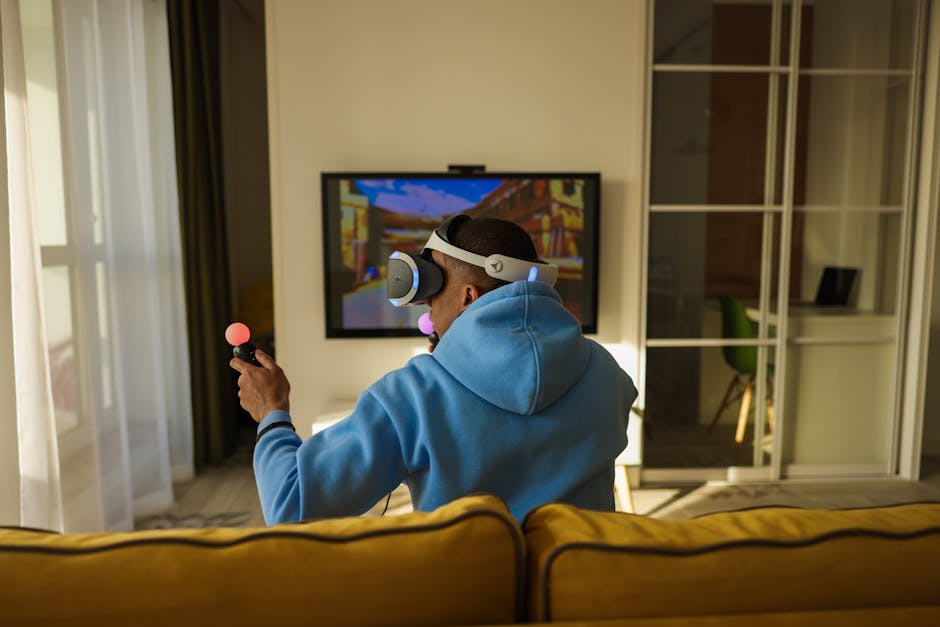
For presentations, projector feeds, conference room displays, and remote camera monitoring: 50ms is functionally invisible. You will not notice it. For competitive gaming, live broadcast audio sync, or applications where lip-sync accuracy is critical at the millisecond level: 50ms is perceptible, and sub-16ms is the real target for seamless perception. No consumer wireless HDMI system currently achieves sub-16ms latency — not at $100, not at $300. For latency-critical display applications, wired HDMI is not a workaround. It’s the correct answer.
How 1080P@60Hz Wireless Transmission Actually Works
The spec looks simple. Getting a clean 60-frame-per-second signal across 200 meters wirelessly requires several things to function simultaneously — frequency band selection, compression algorithm quality, and content protection compatibility. Most marketing copy mentions these but never explains what they mean for the buyer.
The 5.8GHz band the Lemorele uses is meaningfully less congested than standard 2.4GHz WiFi. Consumer routers, Bluetooth headsets, and microwave ovens all operate in the 2.4GHz range. A corporate conference room with 30 connected devices creates significant interference on 2.4GHz. Operating the wireless HDMI signal on 5.8GHz keeps it out of that traffic — in dense wireless environments, this frequency choice is the practical difference between stable video and repeated dropouts mid-presentation.
Compression and the 3 Gbps Problem
Uncompressed 1080P@60Hz video requires approximately 3 Gbps of continuous data throughput. No consumer wireless HDMI system transmits uncompressed video — every product in this category compresses the signal before transmission and decompresses it at the receiver. The quality and speed of that compression pipeline determines real-world picture quality, not the “1080P” label on the box.
The Lemorele’s compression is optimized for static and near-static content: spreadsheets, slide decks, text documents, and diagrams. For these use cases, compression artifacts are invisible at typical viewing distances. Fast-motion content — sports, gaming, rapid scene cuts in video — shows minor artifacts at maximum 200m range, because the compression ratio must increase to maintain stable transmission at distance. At 50–100m, fast-motion video holds up significantly better as the system can relax its compression settings considerably.
The HOLLYLAND Mars 300 Pro uses a more sophisticated compression pipeline, which is a large part of what justifies its $299 price tag for broadcast applications. For presentations and corporate AV, the Lemorele’s approach is entirely adequate.
Why Refresh Rate Matters More Than Resolution
Buyers frequently optimize for resolution (1080P vs. 4K) while overlooking refresh rate. For most presentation and display applications, this is the wrong tradeoff to prioritize.
At 30Hz, slide animations stutter. Screen scrolling looks choppy. Cursor movement is jerky and distracting. You notice it on every screen interaction, and it doesn’t improve with continued use. Modern laptops, monitors, and projectors all run at 60Hz or higher natively — feeding a 30Hz signal into them creates a persistent visual mismatch from the moment the display goes live.
The Nyrius ARIES Pro NPCS549 at $149.99 caps at 30Hz. The J-Tech Digital JTD-WS100 at $79.99 caps at 30Hz. The Lemorele delivers 60Hz for $50 less than the Nyrius. If smooth motion matters — and for presentations and video feeds, it does — this single spec determines the correct choice before you even look at range.
HDCP Compatibility: What Content Protection Requires in Practice
HDCP (High-bandwidth Digital Content Protection) is the encryption layer required by streaming services and Blu-ray players at the output stage. HDCP 1.4 covers 1080P content; HDCP 2.2 is required for 4K UHD from services like Netflix 4K and Disney+ 4K.
The Lemorele supports HDCP 1.4. Since the system tops out at 1080P output, HDCP 2.2 is irrelevant for its actual use cases. Laptop-to-projector, camera-to-display, and laptop-to-conference-room-TV all function without issue. A potential friction point worth testing: some streaming media players — specific Roku and Amazon Fire TV models — enforce HDCP 2.2 at their HDMI output even for 1080P content. If you plan to transmit from a streaming stick rather than a laptop or camera, verify compatibility with your specific device before finalizing the installation.
Bottom Line: 1080P@60Hz at 5.8GHz is the right technical package at this price. Compression tradeoffs are real but confined to fast-motion content at maximum range — which accounts for a small fraction of what this class of system is actually used for.
9 Specs to Verify Before Buying Any Wireless HDMI System
Use this as a purchase filter, not a buyer’s checklist. Any system that fails more than two of these criteria for your specific deployment is probably the wrong product, regardless of price or rating.
- Latency under 80ms — the practical threshold for live presenter sync. Above 100ms, lip-sync errors become visible during video conferencing and camera monitoring in real time.
- 60Hz refresh rate support — the minimum for smooth animation, video playback, and normal screen interaction on any modern display or projector.
- 5GHz or higher transmission frequency — keeps the video signal out of congested 2.4GHz WiFi and Bluetooth traffic, which is critical in any office or venue environment.
- Range matched to your actual space — measure before buying. A 165ft indoor specification covers most commercial conference rooms. Paying for 200m range in a 20m room is real money wasted.
- HDMI loopout port — required if the presenter or operator needs to monitor locally while transmitting to a remote display. Absent in most sub-$150 systems.
- Multi-input transmitter — USB-C, HDMI, and DisplayPort on the same transmitter dongle eliminates adapter dependency in mixed-device environments.
- Zero driver installation — software-dependent systems break during OS updates. True plug-and-play requires no installation on any platform.
- Warranty of 12 months or more — wireless transmitters are daily-use devices in commercial settings. A 90-day warranty on a shared conference room system is not adequate coverage for the failure modes that actually occur.
- Passive cooling design — fanless units run warm but add zero audible noise to a meeting space or recording environment. Fan noise in a quiet conference room is a usability problem that shows up immediately in use and never goes away.
One operational detail that doesn’t appear in any spec sheet: charging dock compatibility. Transmitter dongles that arrive uncharged before a client meeting are a real and recurring failure mode in shared environments. Systems that ship with a dedicated dock solve this problem before it happens.
Who Actually Gets Value From Sub-$100 Wireless HDMI
The Lemorele Wireless Video Transmission System earns its 4.9-star rating in a specific, well-defined set of situations. Outside those situations, even a top-rated product is the wrong tool — and knowing the difference saves money and frustration.
Long-Range Single-Feed Applications
Large venues, school auditoriums, warehouses, event stages, and outdoor setups where a single HDMI feed needs to travel more than 100 meters. This is the primary Lemorele transmitter’s designed environment. At 656ft / 200m maximum range, it covers spaces where running a 200-meter HDMI cable is impractical, signal-degrading, or cost-prohibitive. Long HDMI cable runs over 15 meters start to require active signal boosters; wireless eliminates that infrastructure entirely.
The HDMI loopout makes it viable for a common professional workflow: camera operators who monitor their own feed locally while simultaneously sending the signal to a remote display or broadcast switcher. Permanent corporate AV installations, educational institutions with large auditoriums, and event production companies with rotating venue setups are the natural buyers here. For this specific use case, the Lemorele Wireless Video Transmission System (1T+1R, $99.99) has no genuine competitor under $250. The HOLLYLAND Mars 300 Pro is a better-engineered tool for broadcast professionals but not by $200 worth for a school auditorium or warehouse camera feed.
Conference Room Multi-Presenter Setups
The Lemorele G500 is engineered for a different problem than the standard transmitter: the multi-device conference room where participants arrive with different connection types and no one wants to dig through a cable drawer before a meeting starts.
At $94.99 — nearly identical in price to the long-range unit — the G500’s 8-in-1 transmitter dongle handles HDMI, USB-C, and DisplayPort inputs from the same compact device. The 165ft / 50m range specification is a more honest indoor range for typical commercial construction with standard drywall partitions. Expandability matters here too: additional G500 transmitter dongles can be added to the same receiver as room needs grow, without replacing the display-side hardware. For offices running eight or more meetings per day through the same conference room, that operational flexibility is worth more than the extra range they won’t use.
Where Wireless HDMI Falls Short Regardless of Price
Gaming. The ~50ms latency floor on consumer wireless HDMI is an industry-wide constraint, not a product-specific limitation. Competitive gaming requires under 16ms total input latency. No wireless HDMI system at any consumer price achieves this. Wired HDMI is the correct answer for gaming, full stop.
4K content distribution. Both Lemorele units cap at 1080P output. If your display, content, and source are all 4K and you need full-resolution wireless transmission, the category you’re looking for is different: the HOLLYLAND Mars 4K operates around $599, and enterprise AV-over-IP systems from Crestron, Extron, or AMX typically start at $1,500 per room endpoint. Consumer wireless HDMI is not the right tool for 4K distribution at any price point currently available.
The pick is straightforward: single-source long-range setups → primary Lemorele transmitter at $99.99. Multi-presenter conference rooms → Lemorele G500 at $94.99. Anything requiring sub-16ms latency or native 4K output → budget for a different equipment category entirely, and don’t compromise on specs that actually matter for your use case.